# Create Blanket Speed Restriction

### Background

A Blanket Speed Restriction (BSR) can be imposed to restrict speeds over a wide area. This is typically due to a forecast of bad weather.

Our implementation consists of two parts;

1. **Blanket Speed Notice** – a Route may impose a single Notice to Operators for a given day (usually the following day). The Notice includes one or more Blanket Speed Restrictions
2. **Blanket Speed Restriction** – specified as; 
    1. A general description of an area
    2. Trains effected \\- might only apply to electric trains due to concerns about over head wires or only to freight trains
    3. The maximum speed
    4. The start time
    5. The end time, when normal speeds apply (unless other restrictions apply)

### Step 1 - Create Blanket Speed Notice

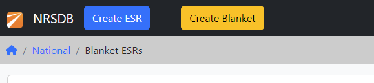
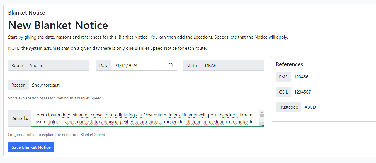
<table id="bkmrk-%C2%A0-%C2%A0-click-the-%E2%80%9Ccreat"><thead><tr><th style="text-align: left;"> </th><th style="text-align: left;"> </th></tr></thead><tbody><tr><td style="text-align: left;">Click the “Create Blanket” button in the top navigation section</td><td style="text-align: left;">![](https://docs.nrsdb.uk/uploads/images/gallery/2025-09/embedded-image-vdopjznu.png)</td></tr><tr><td style="text-align: left;">Complete the form - the date, and reason are compulsory fields. All references are optional. Click on “Save Blanket Notice” The Notice is initially DRAFT</td><td style="text-align: left;">![](https://docs.nrsdb.uk/uploads/images/gallery/2025-09/embedded-image-mnp03mso.png)</td></tr><tr><td style="text-align: left;">The “Blanket Speed Restrictions” section will become visible</td><td style="text-align: left;"> </td></tr></tbody></table>

### Step 2 - Add Speed Restrictions

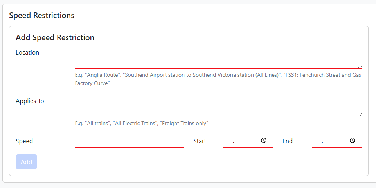
<table id="bkmrk-%C2%A0-%C2%A0-define-the-restr"><thead><tr><th style="text-align: left;"> </th><th style="text-align: left;"> </th></tr></thead><tbody><tr><td style="text-align: left;">Define the restrictions that will apply and click “Add” All fields are required. The speed must be in a valid format, e.g. “30” or “40/50” This information will be summarised to the right and restrictions can be removed in case of an error A NOTICE cannot be IMPOSED without any restrictions</td><td style="text-align: left;">![](https://docs.nrsdb.uk/uploads/images/gallery/2025-09/embedded-image-uekwhnxm.png)</td></tr><tr><td style="text-align: left;">Once all the restrictions have been added click the “Review Planned Blanket Notice” button at the bottom</td><td style="text-align: left;"> </td></tr></tbody></table>

### Step 3 - Review and Impose

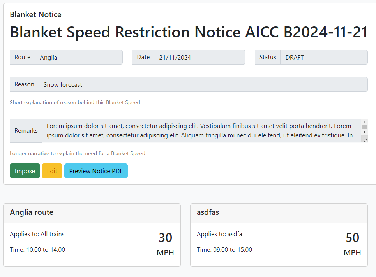
<table id="bkmrk-%C2%A0-%C2%A0-from-this-view-y"><thead><tr><th style="text-align: left;"> </th><th style="text-align: left;"> </th></tr></thead><tbody><tr><td style="text-align: left;">From this view you can Impose, Edit and “Preview Notice PDF” Impose – this will generate an email to all users that are subscribed to receive alerts from the corresponding “route” – see Profile view</td><td style="text-align: left;">![](https://docs.nrsdb.uk/uploads/images/gallery/2025-09/embedded-image-sm8qj8j4.png)</td></tr><tr><td style="text-align: left;">**Edit / Amend** – return to make changes to the Notice or Restrictions</td><td style="text-align: left;"> </td></tr><tr><td style="text-align: left;">**Preview Notice PDF** - allows you to see how the Notice will look</td><td style="text-align: left;"> </td></tr><tr><td style="text-align: left;">A Blanket Notice is for a single day; it will expire at the end of the day. However, you might withdraw a Blanket ESR if the underlying reason is no longer applicable</td><td style="text-align: left;"> </td></tr><tr><td style="text-align: left;">Blanket Speed restrictions apply for a specified time range on that day.</td><td style="text-align: left;"> </td></tr><tr><td style="text-align: left;">Once the Blanket Speed is **imposed** any changes will constitute an Amendment, the reference will be updated and subscribed users receive a new notice</td></tr></tbody></table>