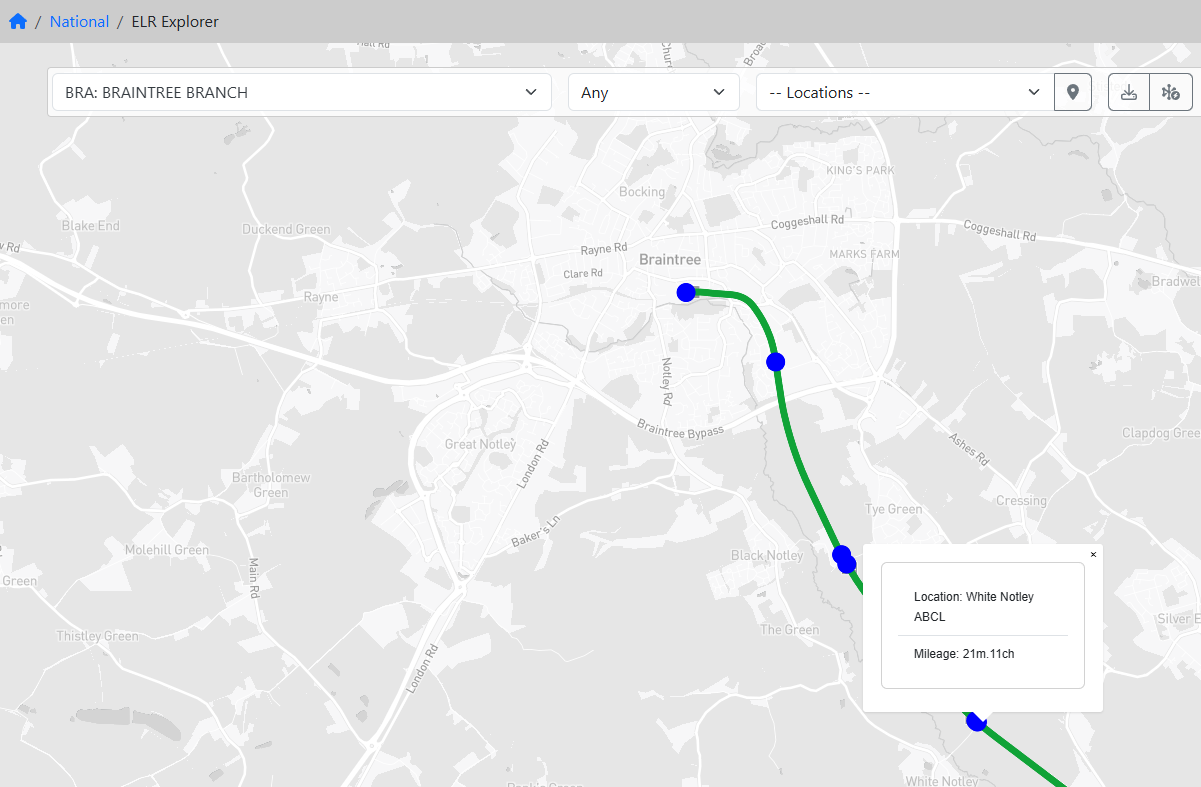
ELR Explorer
An introduction to the ELR Explorer tool
Introduction
The ELR Explorer has been created to help Incident Controllers create accurate Speed Restrictions.
We can explore the track layout for any ELR, discover the available track IDs (TRID), review the key locations along the ELR and discover adjoining ELRs. We also integrate with What3Words to show location codes and find a given ///code
Tools
Plot ELR
Start by choosing the ELR you wish to work with from the drop down on the left of the toolbar.

This will draw the path of the ELR on the map and create a table showing all the "track segments" and their mileages.
A "track segment" is a contiguous section where the ELR and TrackID (TRID) are the same.
Filter By TrackID
You can now reduce the path shown on the map to a specific TRID. The list only shows valide TRIDs for this ELR.
Locations
The 'Locations' drop down shows all the key Locations along this ELR in ascending mileage order. If you select one there is a popup showing the possible LORs.
If you click on the marker icon the Locations are plotted onto the map. Popups are available to show the name and mileage.