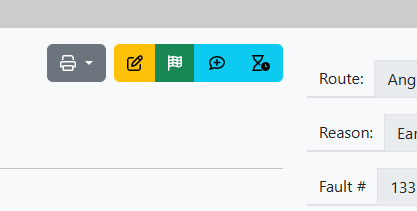
When viewing a speed restriction there is a collection of action buttons as shown below
The grey button allows you to print or download the official Notice as a PDF. The drop down should be used to get the correct version (for amended or withdrawn restrictions).
The yellow button takes you into Edit mode.
The green button performs a Withdrawal. You will need to add a comment and this will generate Withdrawal Notification email
The Blue button with speech bubble and + sign, allows you to quickly add an additional Remark.
The second blue button with an egg timer icon, gives the option to add an Estimated Time of Removal.
Revision #2
Created 3 September 2025 14:11:10 by Simon Gilhooly
Updated 3 June 2026 18:40:51 by Simon Gilhooly